The Courtesy Layer: Smart Apartment Gear That Doesn’t Annoy the Building
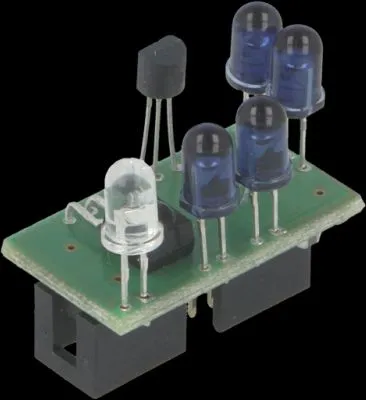
Photo: iSys.PL, Attribution, via Wikimedia Commons
Most smart-home advice assumes a house with a yard, a garage, and nobody on the other side of the drywall. Apartments and townhomes do not get that luxury. In Hong Kong, where towers stack hundreds of homes within shouting distance, a smart device is never just yours. It is also a tiny broadcast tower aimed at the neighbors.
That is why the best Hong Kong smart-home setups tend to have a courtesy layer: a set of small decisions about where devices go, how loud they get, and when they run. In the US, where apartment living is common but smart-home marketing still skews suburban, that layer is usually missing. Here is how to add it without turning your place into a gadget-free zone.
Start With the Shared Surface
Before you buy another sensor, walk your apartment and name the shared surfaces: the wall behind the TV, the ceiling above the bedroom, the floor under the kitchen, the hallway door, the balcony rail. Those are the places where your automation stops being private.
Leak sensors are the easy win. Put them under the kitchen sink, beside the water heater, behind the toilet, and near the washing machine if you have one. In a building, a leak is not just your problem. It is the downstairs neighbor’s ceiling. A simple sensor that pings your phone can save everyone a miserable week.
Motion sensors need more care. Indoor motion sensors are fine when they watch your entry path or a hallway inside your unit. They are not fine when they point through a window, at a shared stairwell, or into a neighbor’s balcony. Video doorbells are trickier. Many US apartment leases and HOA rules restrict cameras in common hallways, and some state laws add their own limits. Check first. If a hallway camera is not allowed, use a door contact sensor or a peephole camera that looks only at your own threshold.
Sound Travels Through Drywall
Smart speakers are the most neighbor-visible devices because they are literally audible. In Hong Kong flats, a speaker on a shelf can be heard through a lightwell. In a US apartment, it can be heard through a cheap wall. Treat volume as a shared resource.
Set a maximum volume for each speaker, especially in rooms that share a wall with a neighbor. Turn off bass boost at night. Use announcements to your phone instead of whole-home chimes after 10 p.m. If you have a morning routine that reads the news, keep it in the kitchen or bathroom, not on the bedroom wall that backs onto someone else’s headboard.
Doorbell chimes deserve their own rule. A video doorbell that chimes loudly in a shared hallway is a small public-address system. Lower the chime volume, set a night mode, or route alerts to your phone only. If your building has a lobby buzzer, do not add a second layer of noise just because the hardware supports it.
Put Machines on a Grown-Up Schedule
Robot vacuums are wonderful until one starts mapping at 6:30 a.m. on a Saturday. In a townhome, the vibration can travel through joists. In an apartment, it can sound like someone is bowling above the neighbors. Schedule cleaning for the middle of the day, ideally when you are out. Use room-by-room zones so the vacuum does not spend forty minutes banging into the wall you share with the bedroom next door.
Lights are quieter, but they still cross property lines. Balcony lights are the classic example. A bright white floodlight aimed across a balcony is not security. It is a nuisance. Use warm, downward-facing fixtures, put them on a timer, and keep the beam inside your own rail. If you string smart holiday lights, set them to turn off by a reasonable hour instead of glowing into a neighbor’s window until 2 a.m.
Smart blinds and shades are another shared-wall issue. A shade that rolls up at sunrise can be fine for you and annoying for the person whose window faces yours. Delay the opening by thirty minutes, or use a gentle wake-up schedule that starts later on weekends.
Give Every Automation a Neighbor Test
Before you save an automation, ask three questions. Can a neighbor hear it? Can a neighbor see it? Can a neighbor feel it through a wall or floor? If the answer is yes to any of them, add a condition.
That might mean a quiet-hours condition that turns off announcements after 10 p.m. It might mean a vacuum schedule that skips weekends. It might mean a doorbell automation that sends a phone notification instead of ringing a chime. It might mean a balcony light that only turns on when motion is detected inside your rail, not when someone walks past on the street.
The best neighbor-friendly automations are also useful. A leak sensor that shuts off a smart valve and texts you is courtesy and safety in one. A hallway light that turns on at 20 percent after midnight is easier on everyone than a 100 percent blast. A door sensor that reminds you when the door is left open is quieter than a speaker announcement every time someone enters.
Keep Privacy Local
Courtesy is not only about noise. It is also about data. If your doorbell camera records a shared hallway, you are collecting images of people who did not agree to be in your cloud account. Keep cameras pointed at your own door. Use local storage where you can. Do not share camera access with the whole building group chat.
If you live with roommates, give guests a simple mode that turns off interior cameras and pauses motion alerts in shared rooms. In Hong Kong, that idea shows up in mahjong-table rules: everyone knows whose turn it is and what stays on the table. A smart apartment needs the same clarity.
The Balcony Rule, in One Sentence
If a device can be heard, seen, or felt from the balcony next door, it needs a second look before it becomes part of your routine.
That single rule will not solve every apartment conflict. It will, however, keep your smart home from becoming the building’s most annoying roommate. Courtesy is not a limitation on good automation. In a shared building, it is the feature that makes the automation worth keeping.


